





A business bank account makes it easier to see the money coming in and out of your business. But for sole traders and landlords using Making Tax Digital for Income Tax, banking is only part of the picture.
Specialist MTD software can turn your bank transactions into useful tax records, helping you organise income and expenses, keep digital records and send quarterly updates to HMRC.
Used together, a business bank account and MTD software can help you:
● reduce manual data entry through automatic bank feeds
● keep digital records up to date as you go
● organise business income and expenses more easily
● prepare quarterly updates with less last-minute admin
● get a clearer view of your income tax position during the tax year
The two tools simply do different jobs. Your bank helps you manage money. MTD software helps you turn your financial records into the information you need for tax.
What Does a Business Bank Account Do for MTD?
A business bank account gives you a clearer place to manage business income and spending. Instead of business transactions being mixed in with household bills and other personal transactions, you have a more focused record of what your business is doing.
That can make record keeping much easier, because it is simpler to identify the income and expenses linked to your business. HMRC also confirms that compatible software can link to a business bank account to import transactions automatically.
But a business account by itself does not automatically cover everything you need for MTD for Income Tax. Bank-provided tax and bookkeeping tools vary, so it is worth checking exactly what your account includes.
What Does Specialist Making Tax Digital Software Add?
Specialist MTD software sits on top of your everyday banking. It helps turn your transactions into organised digital records and gives you tools for managing Making Tax Digital throughout the year.
Digital record-keeping
Under MTD for Income Tax, you need to create and store digital records of relevant self-employment and property income and expenses.
A bank feed can import transactions automatically. You can then review, complete and categorise them instead of rebuilding your records later.
MTD quarterly updates
When MTD for Income Tax applies to you, compatible software uses your digital records to create quarterly updates for HMRC. These are summaries of your income and expenses, not separate tax returns.
Keeping your records updated as transactions happen means there should be less to sort out when an update is due.
A clearer view of your tax position
Specialist income tax software can also help you understand what your business finances mean for tax.
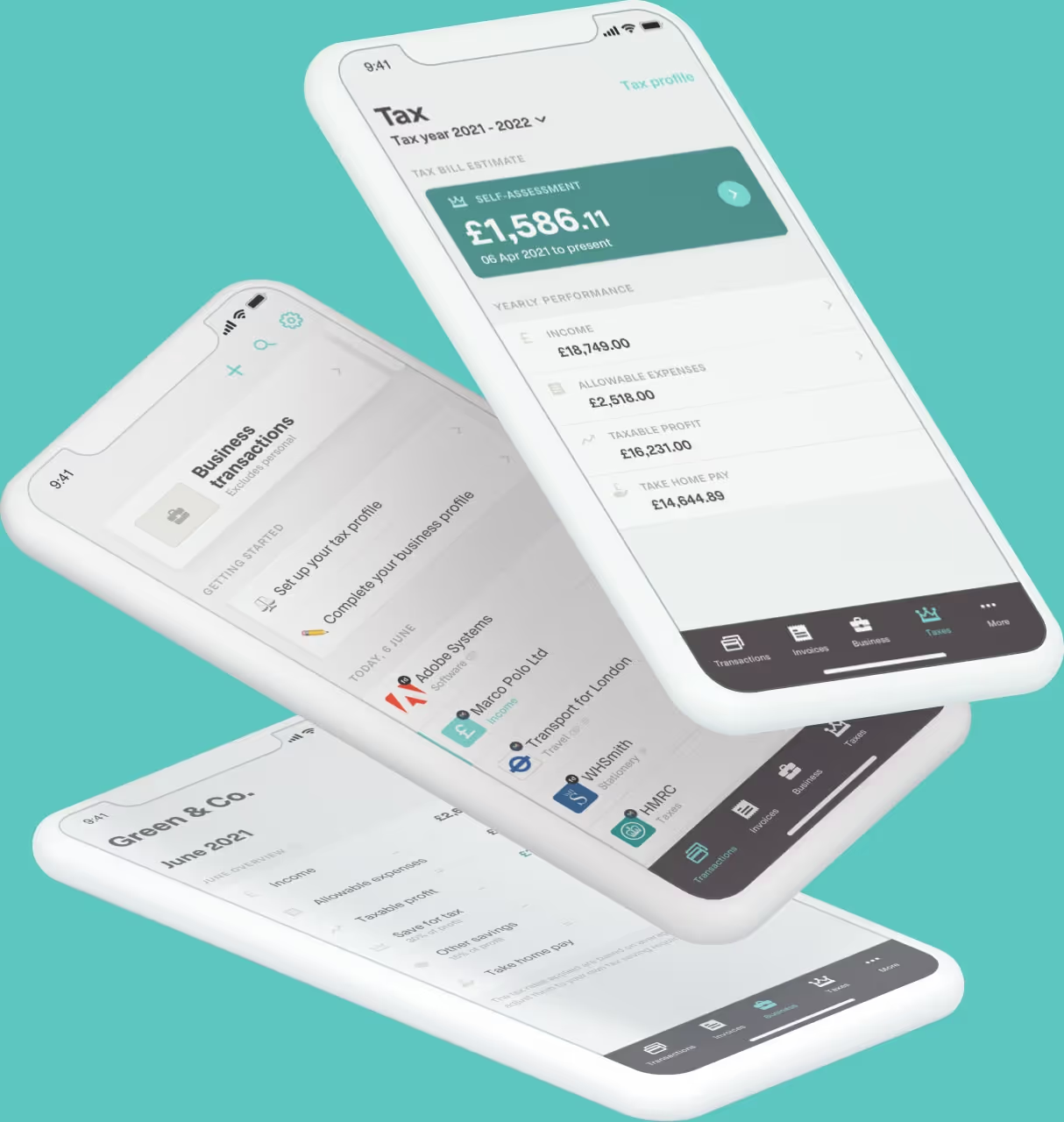
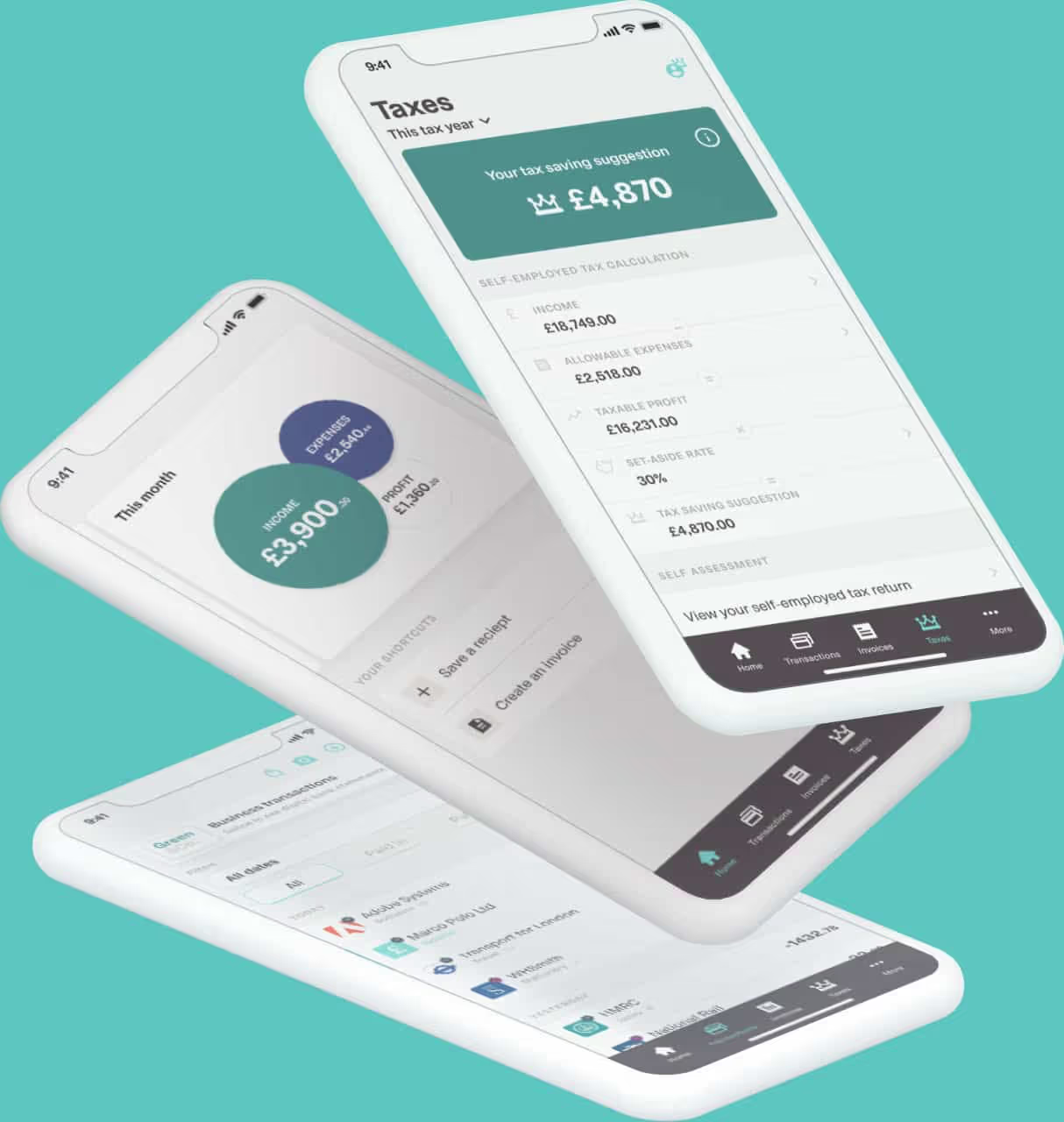
Coconut, for example, provides in-year tax estimates. That gives you an idea of your income tax and National Insurance position as you go, rather than waiting until you complete your Self Assessment tax return.
With dedicated MTD software, you may also get access to support from people who specialise in tax and Making Tax Digital, rather than relying solely on general banking support.
What Are the Benefits of Connecting Making Tax Digital Software to YourBusiness Bank Account?
The main benefit is that your banking data and tax records can work together instead of becoming two separate admin jobs.
Less manual data entry
With a connected bank feed, business transactions can flow into your accounting software automatically. You still need to review them, but you do not have to enter every figure from a bank statement yourself.
Easier digital record keeping
Digital record keeping is much easier when it becomes part of your normal routine.
By connecting your business bank account to MTD-compatible software, you can keep digital records up to date as money comes in and goes out. Receipts and extra details can then be added alongside those transactions where needed.
Fewer gaps in your records
When most business income and spending passes through one account, it is easier to see what happened during the period.
A bank feed gives you a clearer starting point for checking your tax records are complete, rather than piecing information together later.
Less work when quarterly updates are due
Making Tax Digital is built around keeping records during the year. If your income and expenses are already being categorised incompatible software, the information for your quarterly updates is being built up as you go.
That can make each update feel like the next step in your record keeping rather than a new job every three months.
A better view of your business finances
Online banking tells you what is in your account. Specialist accounting software can add more context.
Seeing income, expenses, profit and an estimated tax position together can help you plan how much to put aside for income tax.
Less of a year-end scramble
Keeping records organised throughout the tax year means there is less to reconstruct when your Self Assessment tax return is due. You can also deal with missing information while transactions are still fresh in your mind.
If you are unsure how to categorise something, what needs to be included in an update or how an MTD requirement applies to you, specialist software can give you access to people who work with these issues every day. That extra support can be particularly valuable when Making Tax Digital is new to you.
Is the MTD Functionality From Your Bank Enough?
It might be. It depends on what your bank offers and what you need.
Some business bank accounts include useful bookkeeping or tax tools, and for people with straightforward tax affairs those features may cover day-to-day admin. The important thing is to check whether the tools you are using cover the Making Tax Digital requirements that apply to you.
A simpler way to think about the difference is to lookat the job each tool is doing.
Your business bank account helps you manage the money
A business bank account gives you a clear record of money coming in and going out. It can help you keep business and personal finances separate, make payments, receive income and review your transaction history.
Some banks also include bookkeeping or tax features, so you may already have extra functionality available through your account. What is included varies by provider.
Specialist MTD software helps you manage the tax process
Dedicated MTD-compatible software is built around turning those financial records into the information you need for Making Tax Digital. Depending on the product, that can include:
● importing transactions through bank feeds
● categorising income and expenses
● keeping the digital records required for MTD
● preparing and sending quarterly updates
● supporting your year-end tax submission
● showing in-year tax estimates
● providing specialist MTD guidance and support
So this is not necessarily a choice between your bank and separate tax software. If your bank's own tools already cover everything you need, there may be no reason to duplicate them. If they do not, specialist MTD software can sit alongside your existing business account and add the tax-specific functionality you are missing.
Why Use Specialist Making Tax Digital Software if Your Bank Already Offers Tax Tools?
The benefit is not simply having more features. It is having software built around the tax job you need to do.
Making Tax Digital involves keeping the right digital records, categorising information correctly, sending quarterly updates and submitting your tax return through compatible software.
A specialist provider can bring those steps into one workflow. That may be useful if you want:
● guidance on what you need to do next
● records organised around self-employment or propertyincome
● in-year estimates to help you understand your taxposition
● support when an MTD requirement is unclear
● software that covers record keeping, quarterly updatesand year-end filing
That does not make bank-based tools less useful. Often, the simplest setup is for your bank and tax software to do different jobs and stay connected.
How Does Coconut Work Alongside Your Business Bank Account?
Coconut's MTD software is built for sole traders, landlords and CIS subcontractors who want to keep Making Tax Digital manageable without taking on a large accounting package.
1. Connect your bank account
Link your bank securely using Open Banking. Coconut can then import transactions automatically, so you do not need to type every payment yourself.
2. Keep your income and expenses organised
Review your transactions and categorise what is coming in and going out. You can also capture receipts and attach them to transactions to keep your digital records together.
3. See where you stand on tax
Coconut provides in-year tax estimates, giving you a clearer idea of your income tax and National Insurance position during the year.
4. Send your MTD updates
Once Coconut is authorised with HMRC, users on the MTD filing plan can send quarterly updates through the app. Coconut also supports the MTD annual submission at the end of the tax year.
5. Get help when you need it
Coconut's MTD filing plan includes dedicated expert support from people who understand tax and Making Tax Digital. So if you are unsure about a quarterly update, your digital records or what you need to do next, you have specialist help available rather than having to work it out alone.
You can also see Coconut's pricing or explore how the software works for sole traders.
Who Is This Setup Most Useful For?
Connecting a business account to MTD-compatible software may be particularly useful for:
● Sole traders, who can use bank feeds to keep self-employment income and expenses organised.
○ This includes sole traders with more than one income stream, or with both self-employment and property income.
● Landlords, who need digital records of property income and expenses when MTD applies.
● CIS subcontractors, who may want to keep income, expenses and CIS deductions clear throughout the year.
For sole traders and landlords, qualifying income for MTD is based on gross income from relevant self-employment and property sources before expenses and tax.
Do You Need a Business Bank Account to Use Making Tax Digital Software?
Making Tax Digital is about the records and software you use, not simply the type of bank account you have. HMRC says compatible software can link to a business bank account, while the MTD requirements focus on digital records, quarterly updates and your tax return.
A separate business account can still make things easier because it keeps business and personal finances apart. But a bank feed is only a starting point. HMRC notes that some transactions may need extra detail or may not appear in full, so you are responsible for checking your digital records before an update is sent.
For the latest rules, see HMRC's guidance on choosing software for Making Tax Digital for Income Tax and creating digital records.
When Do the MTD for Income Tax Rules Apply?
Making Tax Digital for Income Tax is being introduced in stages.
From 6 April 2026, it applies to sole traders and landlords whose qualifying income from self-employment and property was more than £50,000 on their 2024 to 2025 Self Assessment tax return.
The qualifying income threshold falls to more than £30,000 from 6 April 2027, and more than £20,000 from 6 April 2028. Qualifying income means gross income from self-employment and property before expenses and tax.
These Income Tax rules are separate from Making Tax Digital for VAT, which already applies to VAT-registered businesses. If you are VAT registered too, check that your software setup supports the requirements relevant to your business.
What Should You Look for When Choosing Making Tax Digital Software?
The right software should make tax admin easier, not give you another complicated system to manage.
Check that it:
● is recognised by HMRC for Making Tax Digital for Income Tax
● supports the income sources you need to report
● lets you keep digital records in a way that suits how you work
● can connect to your bank account or existing records where needed
● supports quarterly updates and your year-end tax return
● makes income and expenses easy to review
● gives you useful visibility of your tax position
● offers the level of guidance and support you want
HMRC provides a software finder for Making Tax Digital for Income Tax to help you check compatible software options.
Make Your Business Bank Account Work Harder With Coconut
Your business bank account records the money moving through your business. Connecting it to specialist MTD software can turn that information into organised digital records for tax.
Coconut securely imports transactions through Open Banking, helps you sort income and expenses, gives you in-year tax estimates and lets you send MTD for Income Tax quarterly updates through HMRC-recognised software.
So instead of adding another layer of admin, your business account and tax software can work together - helping you stay organised throughout the year and ready when an MTD deadline comes around.