





Making Tax Digital for Income Tax is now live for the first group of landlords.
If your qualifying income is over £50,000, you’ll need to use Making Tax Digital (MTD) from the 2026/27 tax year. That means keeping digital records, sending quarterly updates to HMRC, and submitting your final tax return through compatible software.
That might sound like a big change, especially if you’re used to handling everything through one Self Assessment tax return each year. But the core idea is fairly simple: instead of pulling your income and expenses together once a year, you’ll keep your records up to date digitally and send summary updates to HMRC throughout the tax year.
Keep reading to find out when Making Tax Digital starts for landlords, who needs to use it, the key deadlines to know, and what you can do now to get ready - as well as how Coconut can help you keep your rental income organised and make MTD feel much more manageable.
When does Making Tax Digital for Income Tax start for landlords?
Officially, the MTD for landlords start date was 6 April 2026. That's when the scheme came into effect for landlords and sole traders with qualifying income over £50,000, so if your qualifying income is over that threshold, you’ll need to follow the rules from the 2026/27 tax year.
For landlords, qualifying income usually means your gross property income before expenses. If you also have self employment income, that counts too.
So, for example, if you receive £40,000 in gross rental income and £15,000 from self employment, your qualifying income would be£55,000. That would put you above the first Making Tax Digital threshold, meaning you’ll need to use MTD for Income Tax right away.
The scheme is being introduced in stages, so not every landlord is affected at the same time:
If your income falls below the relevant threshold, you may not need to use MTD for Income Tax yet. But it’s still worth checking carefully, especially if you have more than one source of income.
The threshold is based on your total gross income from property and self employment. It’s not based on your profit after allowable expenses, and it’s not based only on the tax you owe.
That’s an important distinction. A landlord with£55,000 in gross rental income and £20,000 of allowable expenses would still be over the £50,000 threshold, even though their taxable income from the property business would be lower.
For jointly owned properties, you usually only count your share of the gross rent. So if you own a rental property equally with someone else and the property brings in £40,000 in gross rental income, your share would usually be £20,000 for MTD purposes.
The main thing to remember is this: the MTD for landlords start date has already been and gone in the first group. If you’re over the £50,000 threshold, you’ll need to be keeping digital records now and preparing for your first quarterly update.
Does MTD apply to landlords?
Yes - MTD for Income Tax applies to landlords, but only when they meet the relevant conditions.
In simple terms, you’ll need to use Making Tax Digital if:
● you’re an individual landlord
● you’re registered for Self Assessment
● your qualifying income is above the threshold for the relevant tax year
For landlords, this usually means looking at your property income. If you’re also self-employed, your self-employment income is included too. HMRC looks at these income streams together when deciding whether you need to follow MTD.
MTD for Income Tax is aimed at unincorporated landlords and sole traders. If you hold rental properties through a limited company, those company profits are dealt with through corporation tax, so they don’t fall under MTD for Income Tax.
That said, your setup may not be all-or-nothing. For example, if you own one rental property personally and another through a limited company, your personally held property income may still count for MTD.
It’s also worth separating two ideas that are easy to mix up:
● If your income is below the relevant threshold, you may simply not need to use MTD yet.
● If you’re exempt, that means you don’t need to use MTD because of a specific reason, such as being unable to use digital tools.
How HMRC decides whether you need to use MTD
HMRC will usually work out whether you need to use Making Tax Digital by looking at the most recent Self Assessment tax return you’ve submitted before the relevant start date.
That means the income you’ve already reported can determine when you’re brought into MTD. HMRC looks at your qualifying income from property and self employment, then checks whether it’s above the threshold for the relevant tax year.
If you’re required to use MTD, HMRC should write to you before your start date. But it’s still worth checking your own figures, especially if your income is close to one of the thresholds or you have more than one income stream.
That way, you’re not relying only on a letter from HMRC- and you’ll have more time to get your digital records and software in place.
Key MTD deadlines for landlords
Once you know MTD applies to you, the next step is understanding the reporting rhythm.
For landlords in the first group, the 2026/27 tax year is the first year where quarterly updates apply. These updates are due roughly one month after each quarterly period ends.
The quarterly updates are not full tax returns. They’re summaries of your income and expenses, sent through MTD-compatible software during the tax year.
You’ll still need to finalise your overall tax position after the tax year ends. For landlords in the first MTD group, that means submitting the final tax return for 2026/27 by 31 January 2028.
For most landlords, the standard update periods are:
Some software may also let you use calendar quarters instead. That can feel easier if you already organise your records by calendar month, but the filing deadlines stay the same.
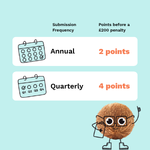
If you miss a quarterly update for the tax years after 2026-27 or a tax return deadline, you’ll get a penalty point. If you reach four penalty points, you’ll be hit with a £200 fine - so it’s important to get this right!
How is tax changing for landlords under MTD?
The main change under Making Tax Digital is how you report your income tax information to HMRC.
It doesn’t change the basic rules around what counts as rental income, what expenses are tax deductible, or how your final tax liability is calculated. You’ll still need to work out your property income, claim allowable expenses where relevant, and pay tax by the usual deadline.
What changes is the process.
Instead of pulling everything together once a year for a Self Assessment tax return, landlords within MTD need to keep digital records throughout the tax year and send regular updates to HMRC using compatible software.
In practice, that means three main things.
1. You’ll need to keep digital records
If MTD applies to you, you’ll need to maintain digital records of your property income and expenses.
For landlords, that could include things like:
● rental income received
● letting agent fees
● repairs and maintenance
● insurance
● mortgage interest
● service charges
● ground rent
● accountancy fees
● other allowable expenses
The aim is to keep your records up to date as you go, rather than sorting through everything at the end of the tax year.
That doesn’t mean you need to become an accountant. It just means your income and expenses need to be stored digitally in a way that can connect with HMRC’s MTD system.
2. You’ll need to send quarterly updates
Once your records are digital, you’ll use MTD-compatible software to send quarterly updates to HMRC.
These updates are summaries of your income and expenses for the year so far. They’re not the same as a full tax return, and they don’t usually involve making accounting adjustments or finalising your tax position each quarter.
This is an important point, because quarterly update scan sound more intimidating than they are.
You’re not submitting four full tax returns every year. You’re sending regular summaries based on the records you’ve already been keeping.
3. You’ll still need to submit a final tax return
MTD does not remove the need to finalise your tax position after the end of the tax year.
Once the tax year is over, you’ll still need to review your figures, make any final adjustments, include other income where relevant, and submit your final tax return.
For landlords in the first MTD group, the first MTD tax return will cover the 2026/27 tax year and will be due by 31 January 2028.
The biggest shift is moving from a once-a-year admin task to a more regular reporting routine. But if your records are kept up to date, each step should feel much more manageable.
How landlords can get ready for MTD
If Making Tax Digital applies to you, the best thing you can do is get your records and software in place as early as possible.
For landlords in the first MTD group, the scheme has already started. That means it’s worth checking now that your income and expenses are being recorded digitally, rather than waiting until your first quarterly update is due.
Here are the key steps to take.
Check which income threshold applies to you
Start by checking your gross income from property and self employment.
The current MTD thresholds are:
● over £50,000 from April 2026
● over £30,000 from April 2027
● over £20,000 from April 2028
Remember, this is based on qualifying income before expenses. So even if your final taxable income is lower, you may still need to use MTD.
Review how you currently keep records
Next, look at how you currently track your rental income and expenses.
If you’re using paper records, manual notes, or a spreadsheet that isn’t connected to MTD-compatible software, you’ll need to change your process.
A good starting point is to make sure you can easily see:
● rent received
● property-related expenses
● dates of transactions
● which property each transaction relates to, if you own more than one
● any income from self employment, if relevant
The more organised your records are throughout the tax year, the easier your quarterly updates should be.
Choose MTD-compatible software
HMRC doesn’t provide its own MTD software, so you’ll need to use compatible software to keep records and send updates.
The right software should help you:
● maintain digital records
● connect a bank account or bank feed
● categorise income and expenses
● submit quarterly updates
● prepare for your final tax return
Some landlords may be able to use spreadsheets with bridging software, but this can still involve more manual work. If you want to reduce admin, purpose-built MTD software is usually the simpler option.
Get into a quarterly routine
MTD is easier to manage when you don’t leave everything until the deadline.
A simple monthly routine can make a big difference. For example, you might:
● check that all rent payments have been recorded
● upload or categorise receipts
● review expenses while they’re still fresh
● make sure your bank feed is working
● check whether anything looks missing or unusual
That way, when your quarterly update is due, you’re not starting from scratch.
Make sure you know what still happens at year end
Quarterly updates are only part of the process.
You’ll still need to finalise your tax affairs after the end of the tax year. This is when you’ll make any final adjustments, include other income, confirm your overall tax liability, and submit your final tax return.
So even though MTD changes the reporting rhythm, it doesn’t remove the need to review your full position at year end.
The aim is to make that final step easier by keeping better records throughout the year.
How Coconut can help landlords with Making Tax Digital
Making Tax Digital can feel like a lot at first, especially if you’re used to sorting everything out once a year.
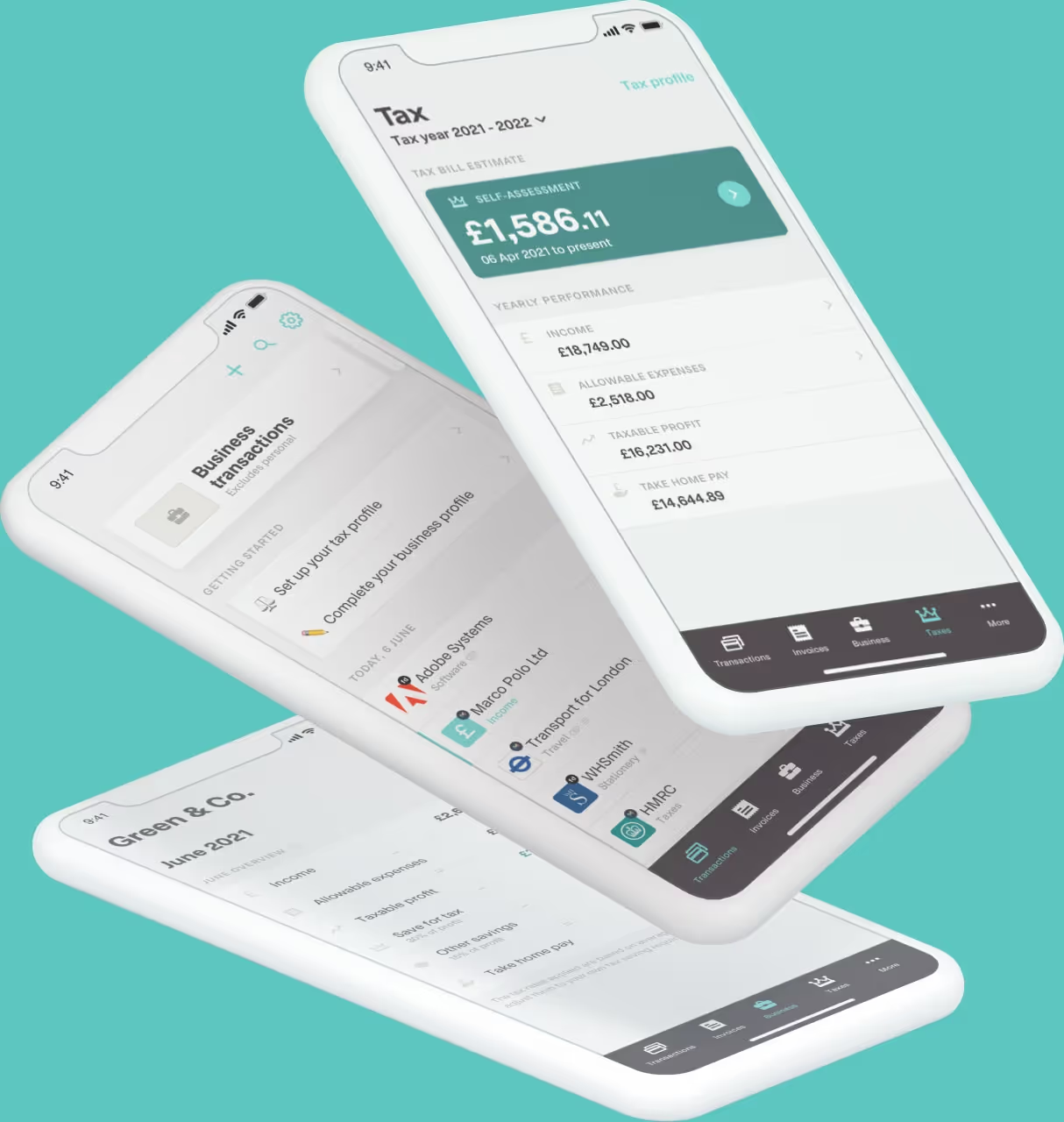
Coconut is designed to make the digital record-keeping process simpler. It helps you keep your income and expenses organised throughout the tax year, so you’re not left digging through bank statements and receipts when a quarterly update is due.
With Coconut, you can connect your bank account, sort your income tax self assessment, categorise expenses, and keep digital records in one place. That means less manual admin, fewer spreadsheets to manage, and a clearer view of what’s happening across your rental finances.
It can also help if you have more than one income stream. For example, if you receive rental income and also have self employment income, Coconut can help you keep everything organised without needing separate systems or extra complexity.
The goal isn’t to make tax more complicated. It’s to make it easier to keep on top of your records as you go.
With Coconut, you can:
● keep digital records of your income and expenses
● get automatic reminders for upcoming quarterly MTD updates and key tax deadlines
● connect your bank account and reduce manual data entry
● organise rental income and property expenses
● stay ready for quarterly updates
● manage more than one income stream in one place
● get expert support as and when you need it
● feel more confident about your MTD responsibilities
If you’re a landlord who now needs to use Making Tax Digital, or you want to get ready before a later threshold applies, Coconut can help you build a simpler routine from the start.